News
2 min Reading time
Privacy-friendly server-side tracking for Google Analytics (GA4)

by Olaf Brandt
The better the data quality, the more reliable, sustainable and successful the decisions derived from it.
From time to time, adjustments to the metrics are necessary due to technical changes in the browser. At the turn of the year 2025/2026, this affects timing metrics such as the time spent on the website and per page, as well as the bounce time, i.e. the time spent by users who only access one page during their visit.
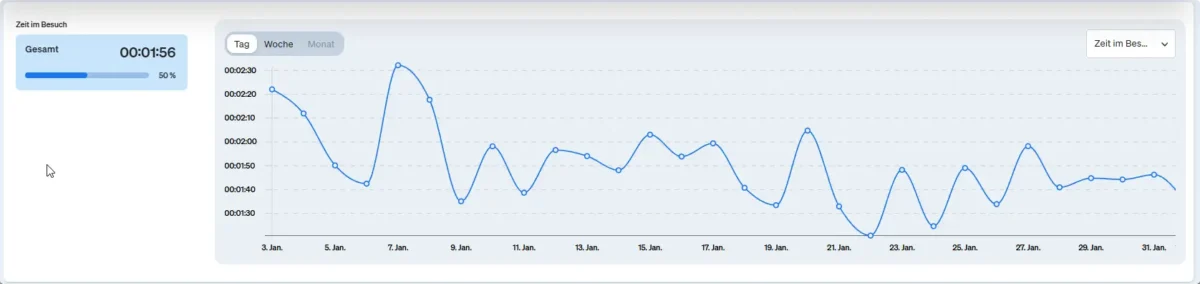
The good news is that the changes allow us to measure these metrics even more accurately and reliably. However, this also means that caution is required when comparing metric values before and after optimization. We therefore optimized the measurement methodology at the turn of the year to ensure comparability within the year.
The changeover has retroactively changed the bounce time, all other key time figures only from release.
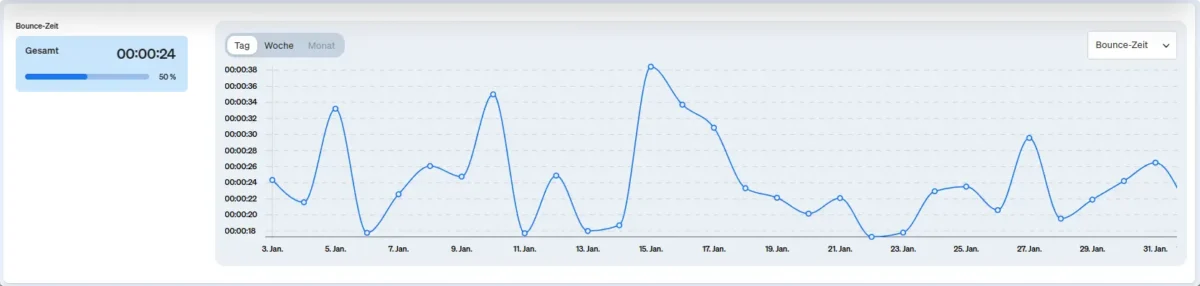
The optimized measurement of dwell time means concretely:
For the bounce rate and bounce time, all visits with only one page view are taken into account, regardless of the length of stay or other event interactions. If you want to determine the proportion of visits with only one page view and a dwell time of less than 5 seconds, for example, and without a triggered event, you can create a suitable behavioral segment and select it in the report.
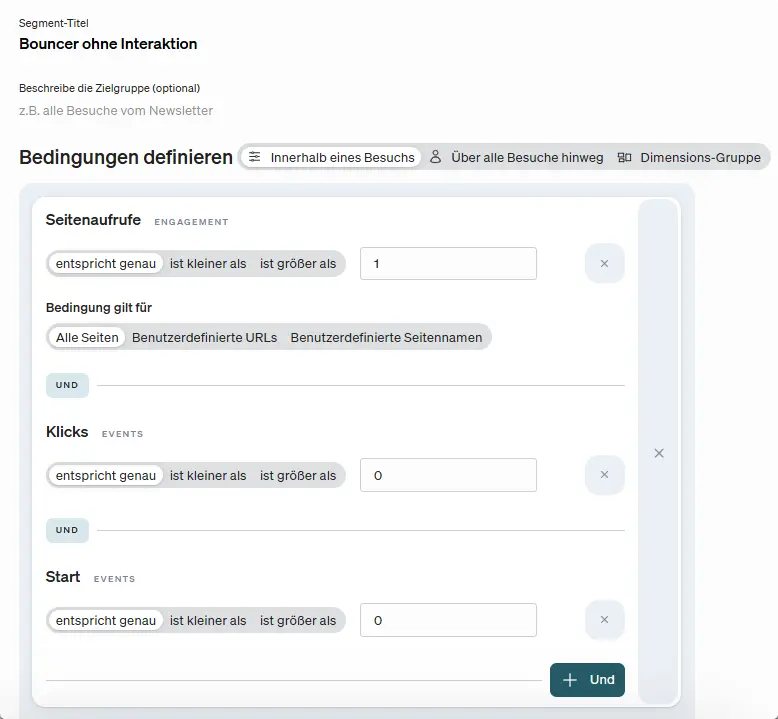
This allows the engagement metrics to be used specifically for optimization. This is essential for landing pages in particular and creates the basis for sustainable digital success.

Privacy-friendly server-side tracking for Google Analytics (GA4)


The EU Commission’s “Digital Omnibus Package” and web analytics: what marketers need to know now